




Decide when you are calm
Write your limits before the market opens — daily loss, profit target, trade count and size. The calm version of you makes the rules.
Never Overtrade Again
TradeLite stops revenge trading, overtrading and giving back profits: your daily loss limit, trade caps and profit lock are enforced by the server on every order. Plus charts, option chain, replay and a journal. Live trading for NSE and F&O through your own broker; charts and paper trading for global markets.
No card required · Runs in your browser
Emotional control
Fear, greed and frustration are normal. The damage comes when one losing trade turns into a spiral. TradeLite is built to break that loop.
Write your limits before the market opens — daily loss, profit target, trade count and size. The calm version of you makes the rules.
In the moment, the rules are enforced for you on every order, from every device. There is no button to argue with.
After the session, the journal shows the pattern — streaks, missing stop-losses, worst hours — not just the pain of the last trade.
Discipline becomes habit
Traders don't become disciplined by reading about it. They get there by keeping the same rules, trade after trade. TradeLite enforces your limits on every session, so ruled trading becomes a daily practice. That is the foundation for consistent, profitable trading.
Results vary. No tool can guarantee profits, but rules you keep every day give your edge a chance to show.
Live orders go only to the Indian NSE / F&O broker accounts you connect. Forex, gold, crypto and global indices are for charts, alerts, bar replay and paper trading with virtual money. TradeLite does not offer live forex, CFD or crypto trading, trading-signal channels or copy trading.
Trading psychology control
Most losing days come from a few decisions made in the heat of the moment. TradeLite turns your rules into limits the server enforces — for every order from the chart, the API or an expert advisor.
✕ Revenge trading
Once today's loss reaches your limit, new orders are refused until the next trading day.
✕ Overtrading
A maximum number of orders per 1, 5, 15 or 30 minutes, 1 or 4 hours, day, week or month.
✕ Giving back profits
Reach it and new entries stop — the good day stays a good day.
✕ Oversizing
Max quantity per order, max position value and max open positions.
✕ Trading without a stop
Every order gets your SL and targets; auto square-off at the limit or at your chosen time.
✕ Impulse clicks
A review step before anything is sent, instead of one-click trading.
✕ Tilt
Alerts at 50%, 80% and 100% of your daily loss limit, before the damage is done.
✕ Repeating mistakes
Loss streaks, trades without a stop-loss, and your worst hour and symbol.
In Settings or in a strategy: loss limit, profit target, trade caps, size limits.
The server checks every order from the chart, API or expert advisor.
Alerts at 50% and 80% of your daily loss limit.
New entries are blocked; optional auto square-off closes positions.
Limits reset with the next trading day or time window.
“Plan the trade. Let TradeLite hold you to it.”
Product tour
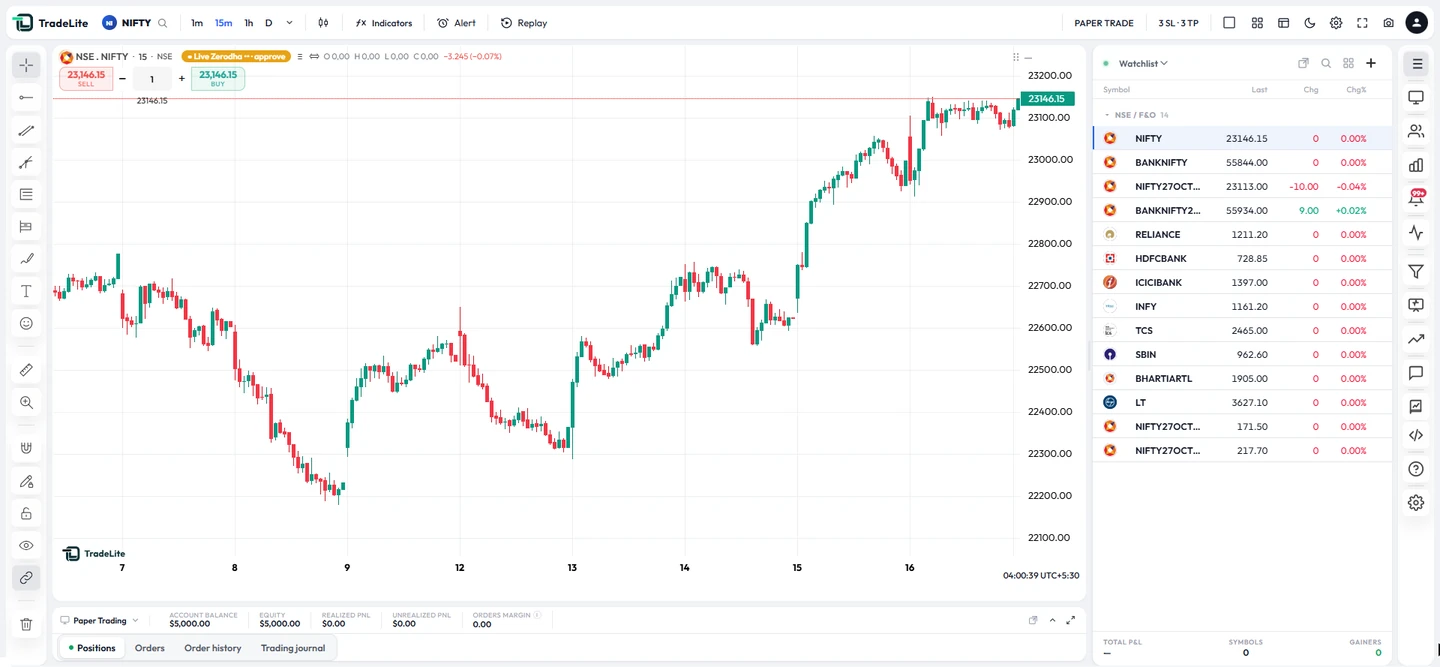
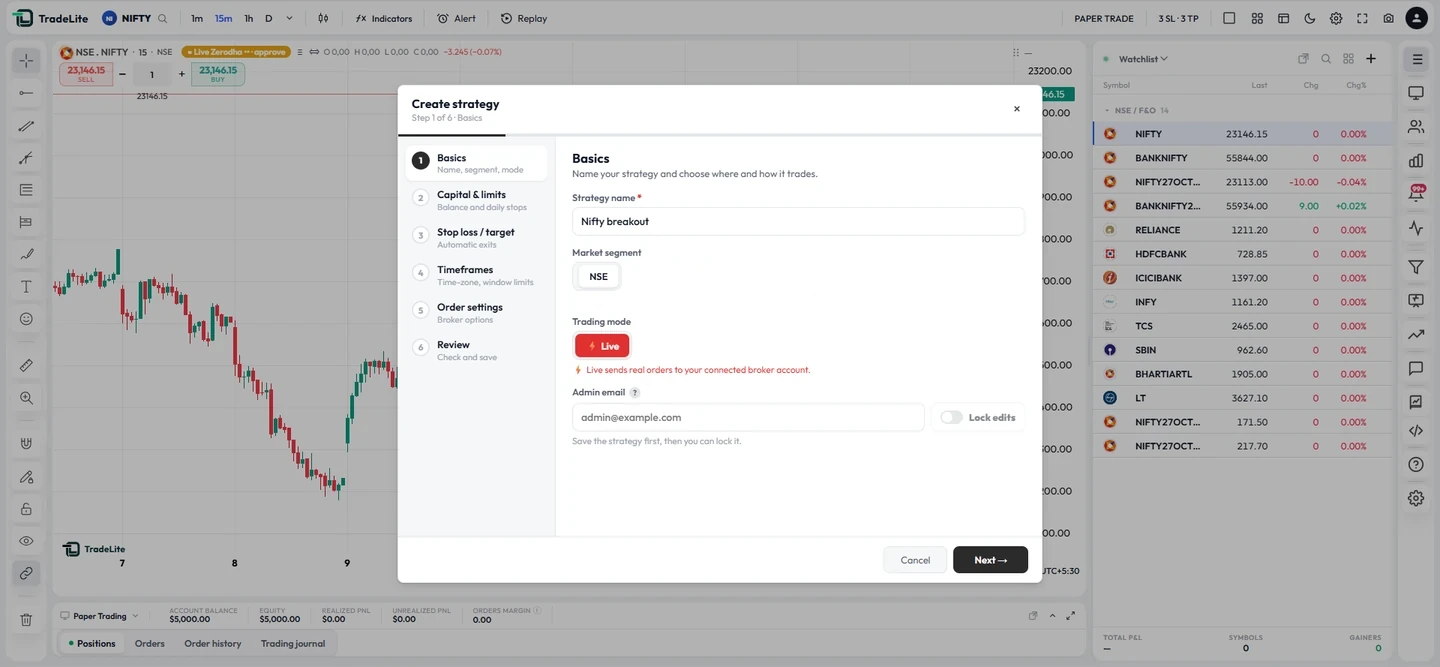
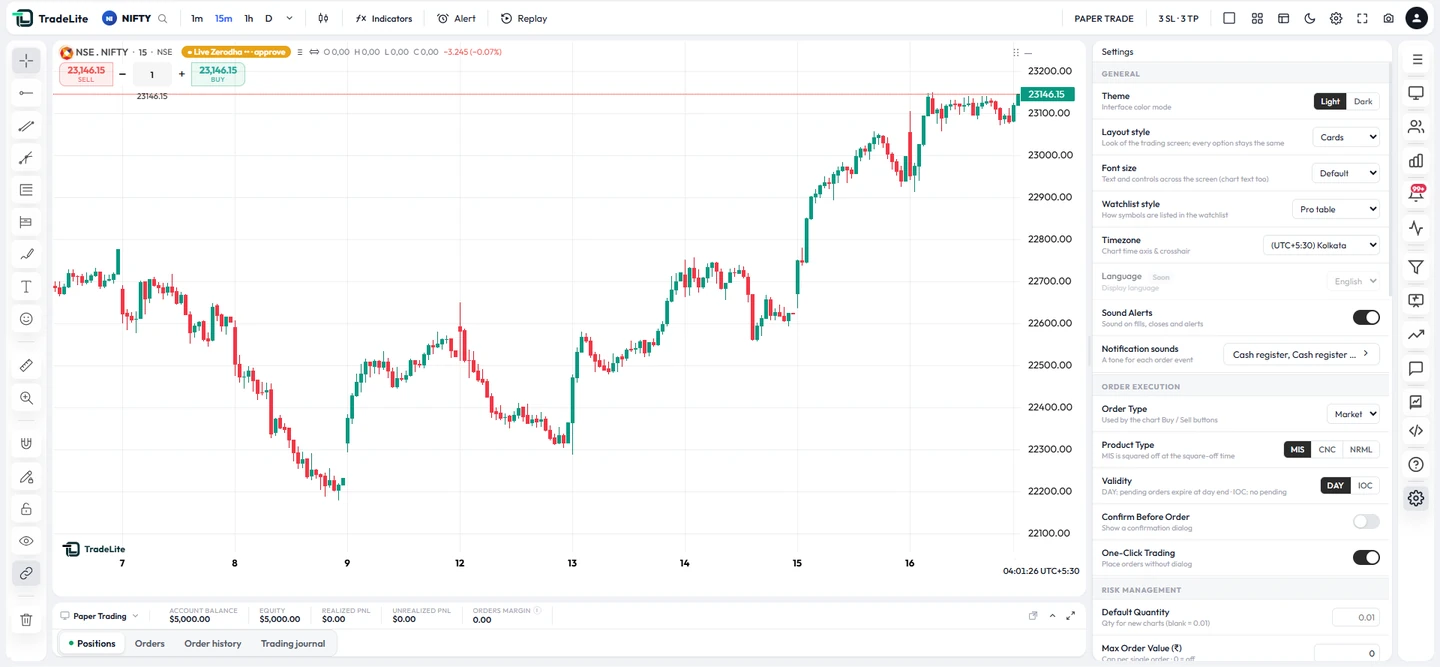
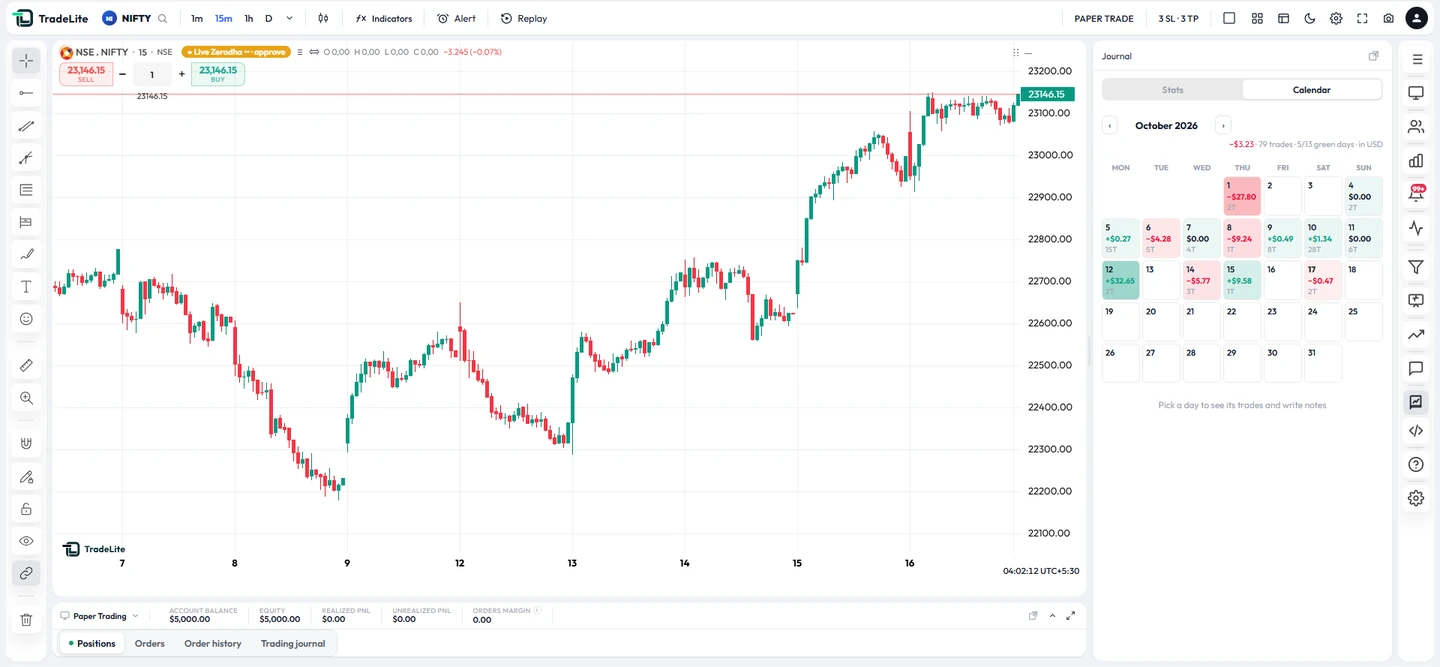
Real screenshots from tradelite.in/live — starting with the discipline rules. Pick a tab.
Features
Not another chart website: TradeLite checks your risk before every order and grades your trades after.
Discipline rules
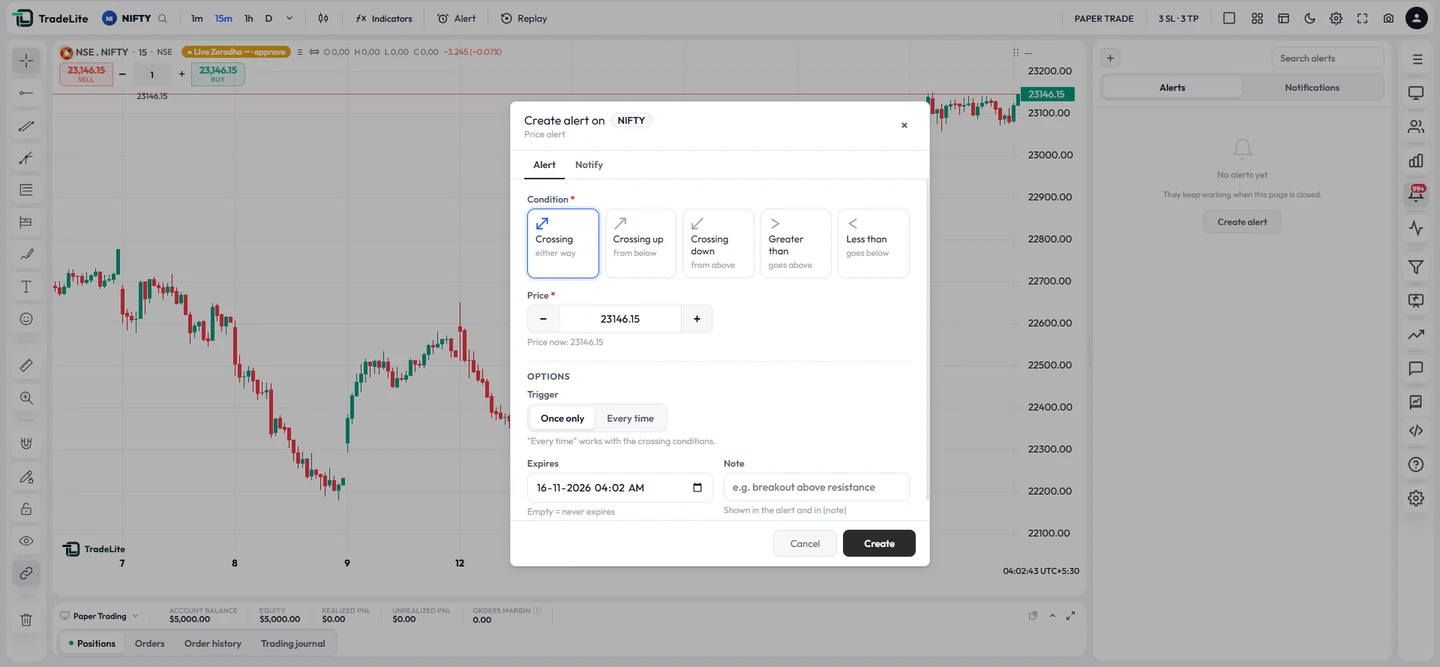
Limit profit, loss and the number of orders per 1, 5, 15 and 30 minutes, 1 and 4 hours, day, week and month. Hit a cap and the strategy stops taking new entries until the window resets.
Risk limits
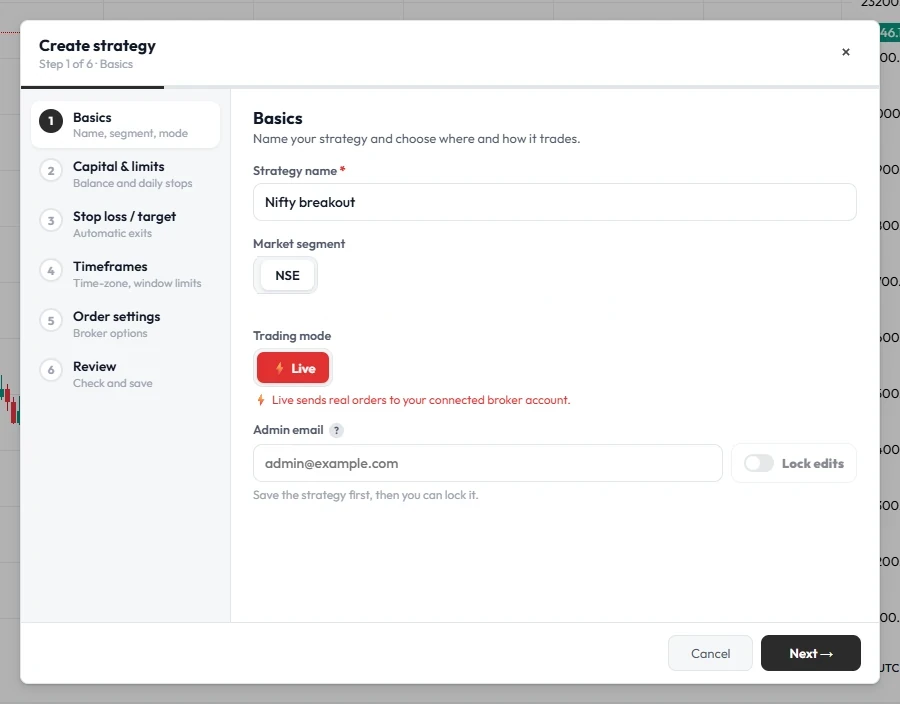
Your account-wide safety net: the server refuses orders that break it, and can square off positions for you when the day goes wrong.
Self-awareness
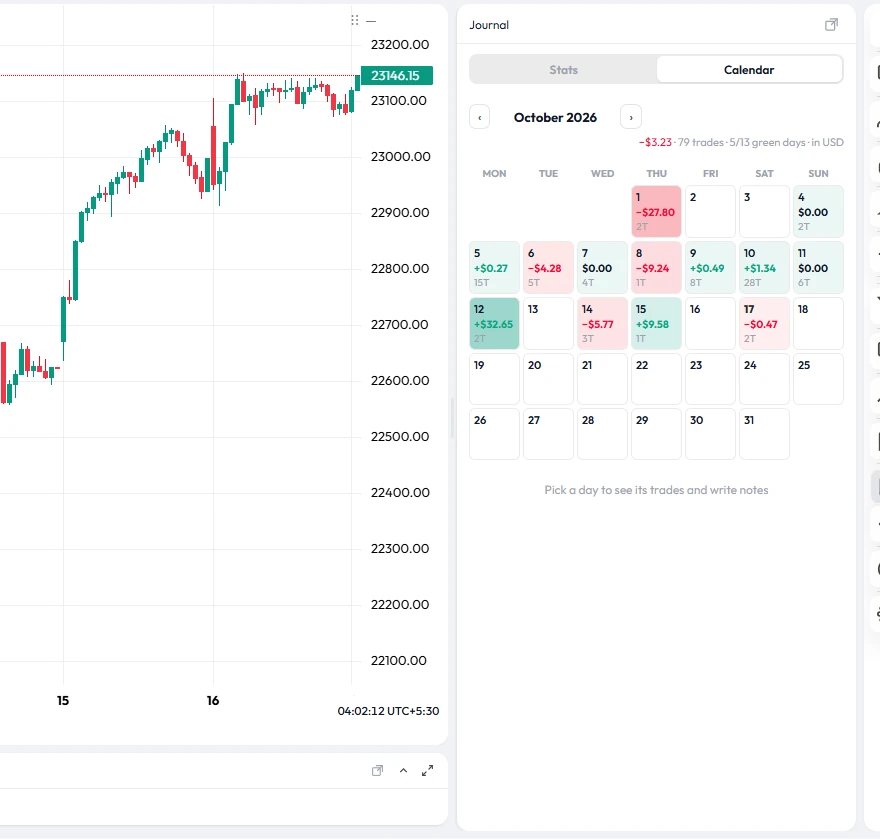
The journal turns every closed trade into numbers and plain-language suggestions — trades taken without a stop-loss, losing streaks, your best and worst hours and symbols. (Shown: a paper account.)
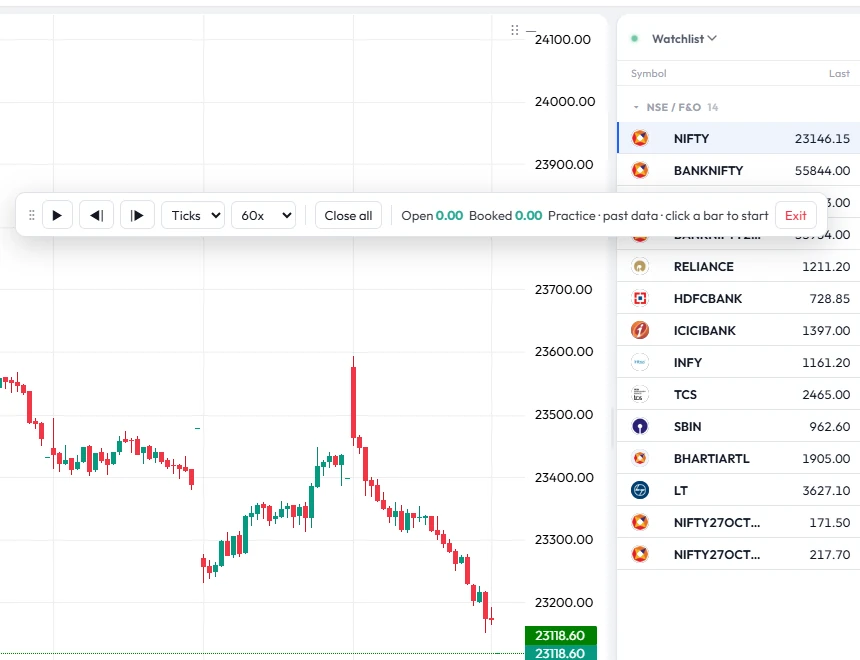
Bar replay
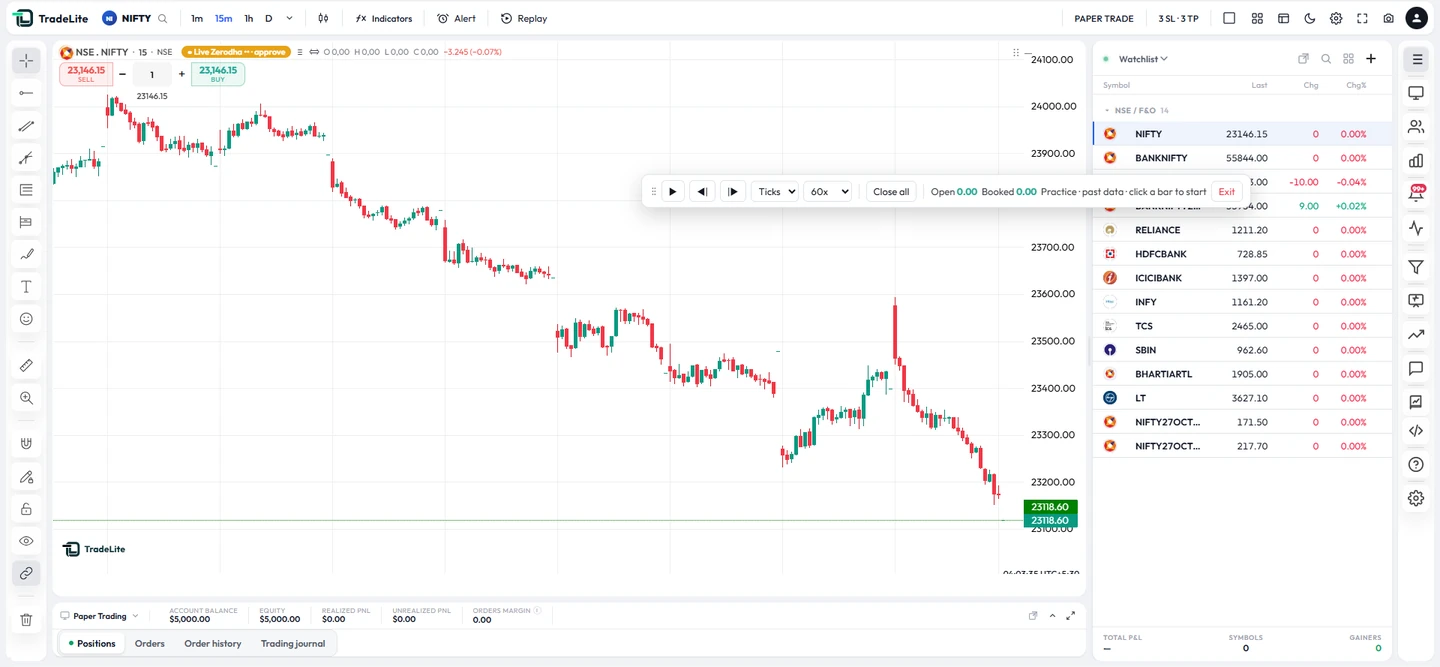
Pick a start bar, hide the future and practise your entries and exits bar by bar. Replay trades never reach the market — perfect for rehearsing your rules.
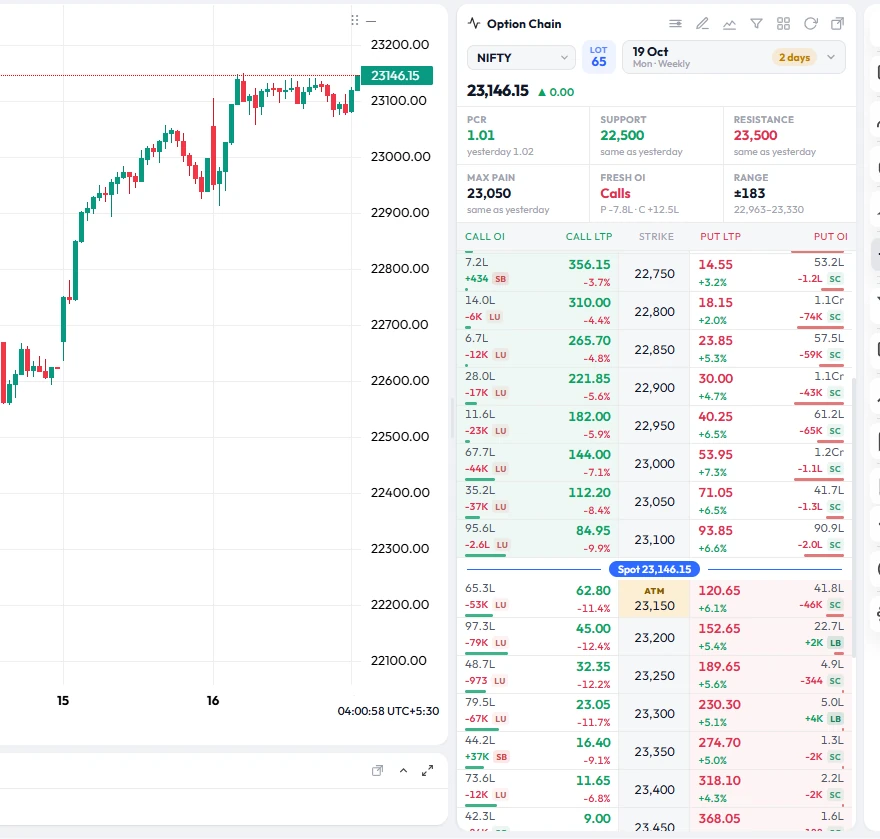
Option chain
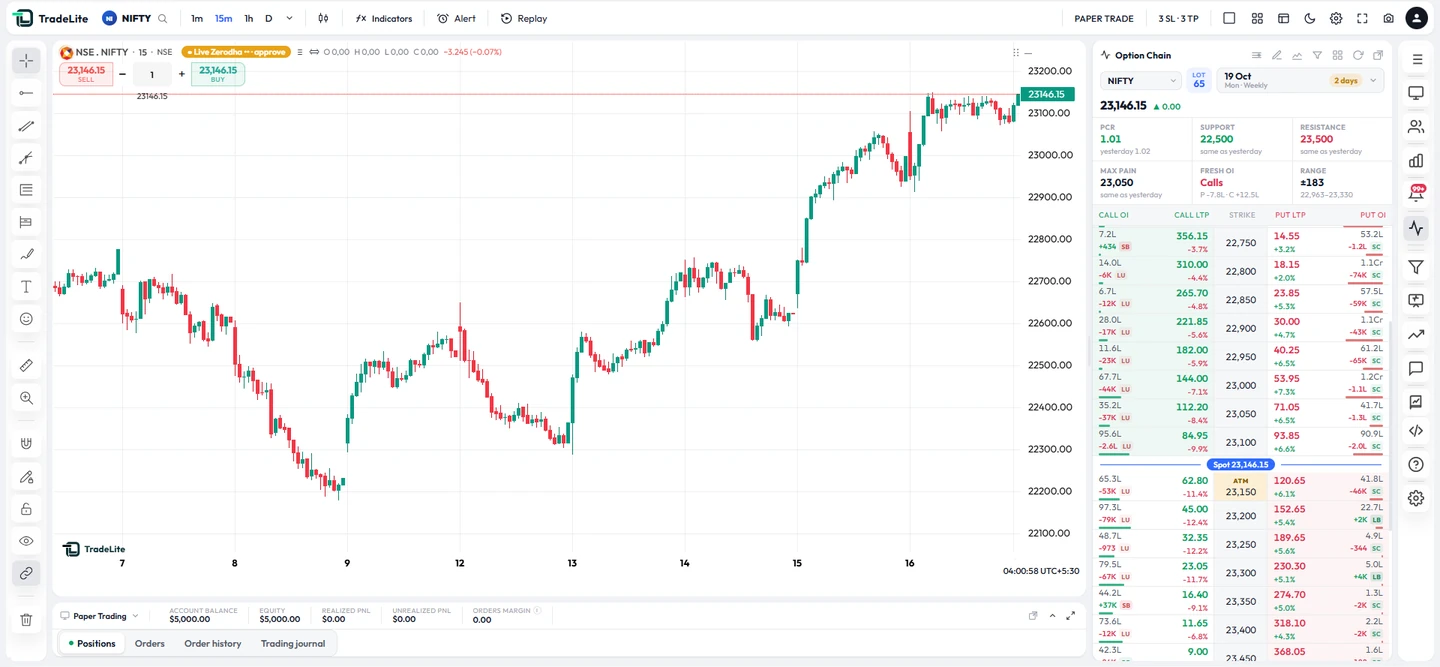
Live call and put prices and open interest around the ATM strike for NIFTY, BANKNIFTY and more — right next to your chart.
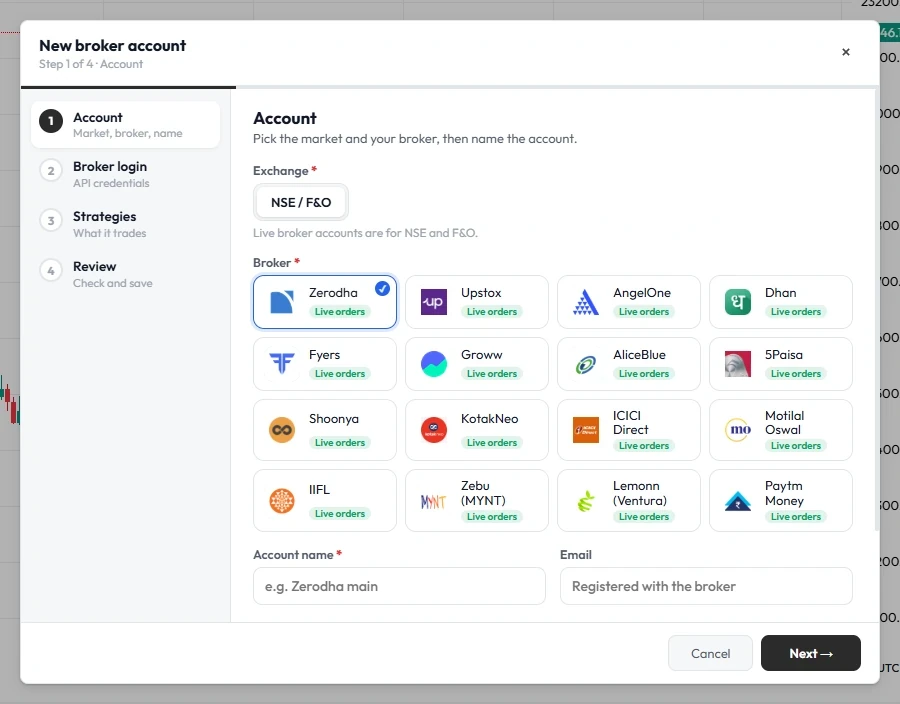
Broker accounts
A four-step wizard adds a broker account, its API login and the strategies it should follow — so every copied trade passes through the same discipline rules.
More screens
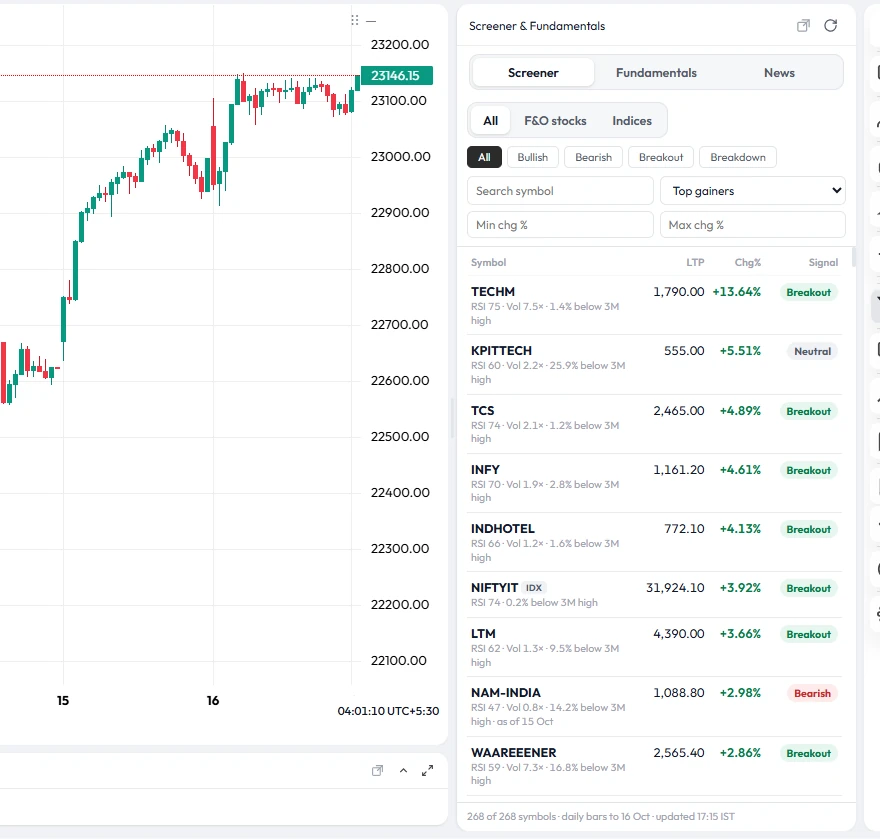
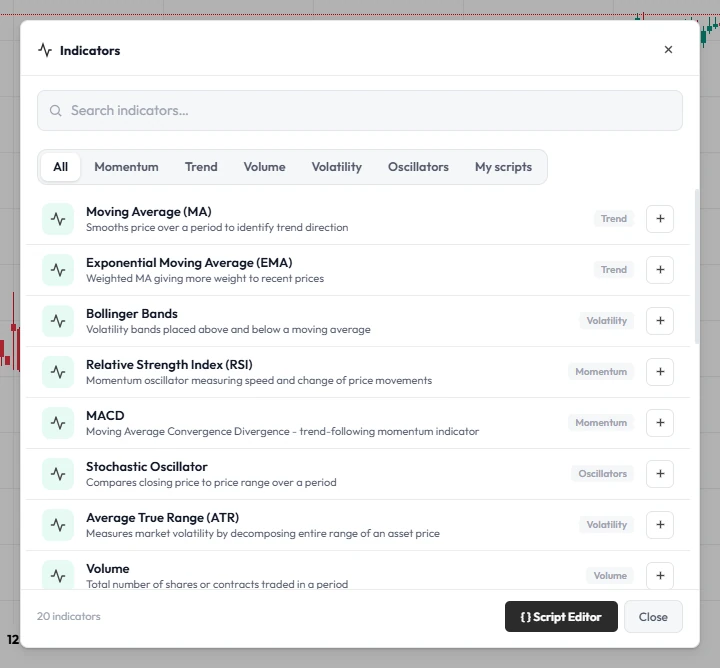
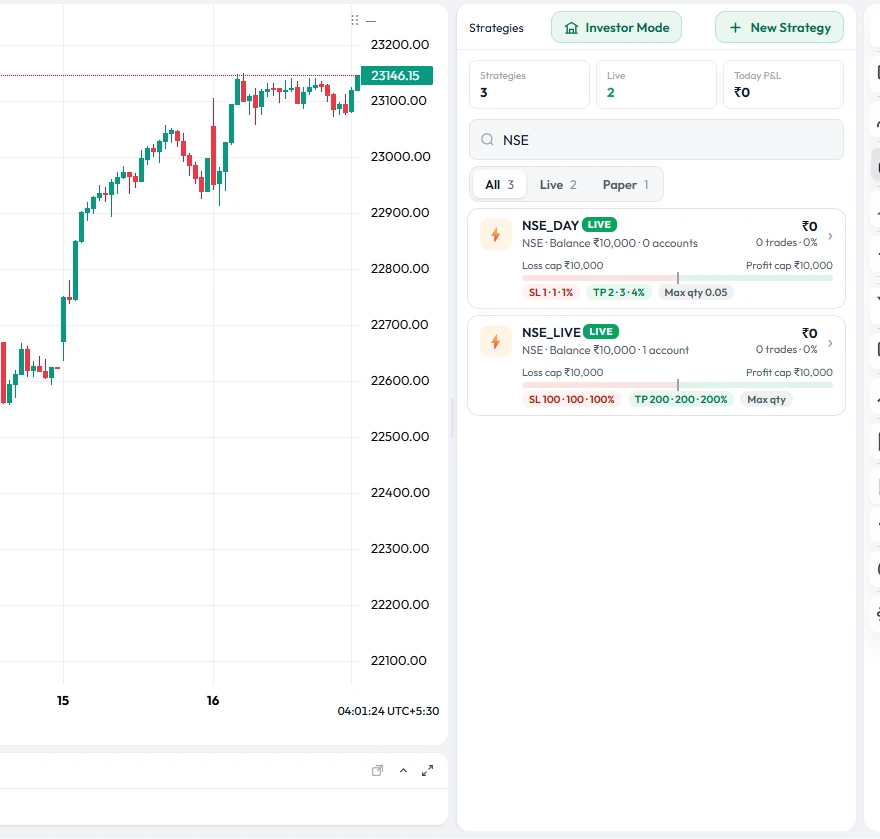
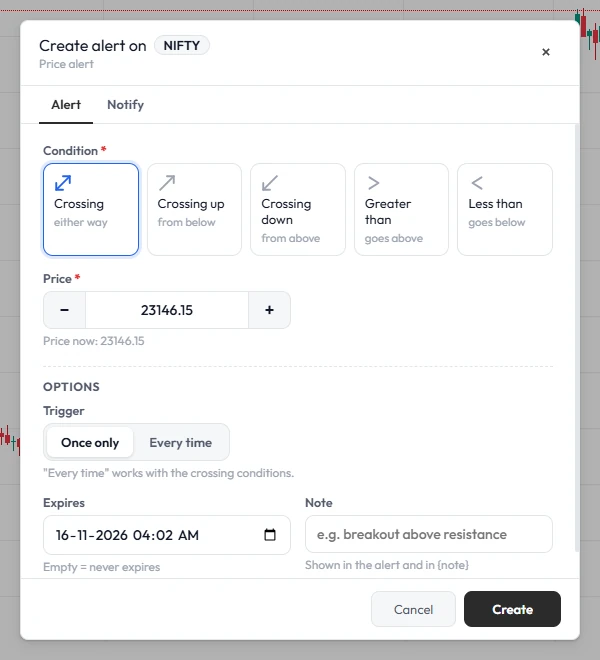
Everything else
The tools you open ten tabs for — in a single terminal that remembers your layout.
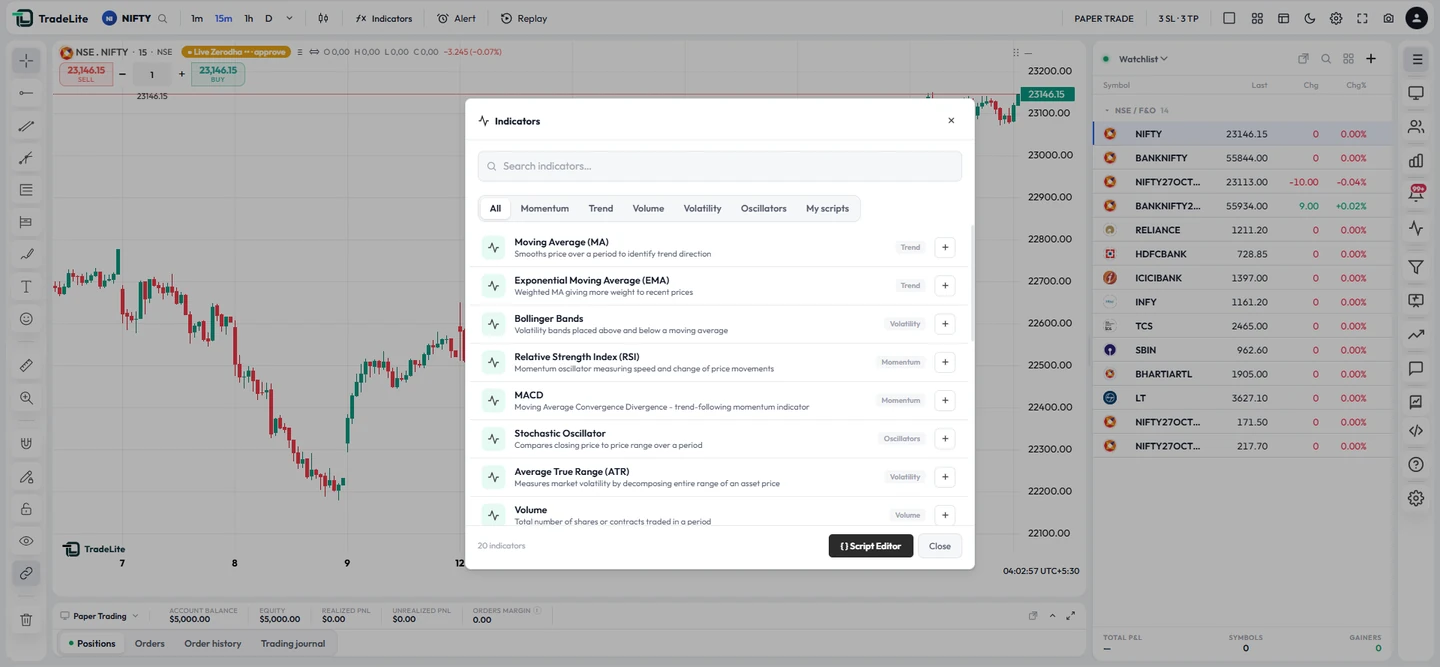
Candles, Heikin-Ashi and area charts, 20+ drawing tools, multi-chart layouts and a camera button to export any chart.
Price alerts with your choice of tone, plus toasts when an order fills, hits SL or is rejected.
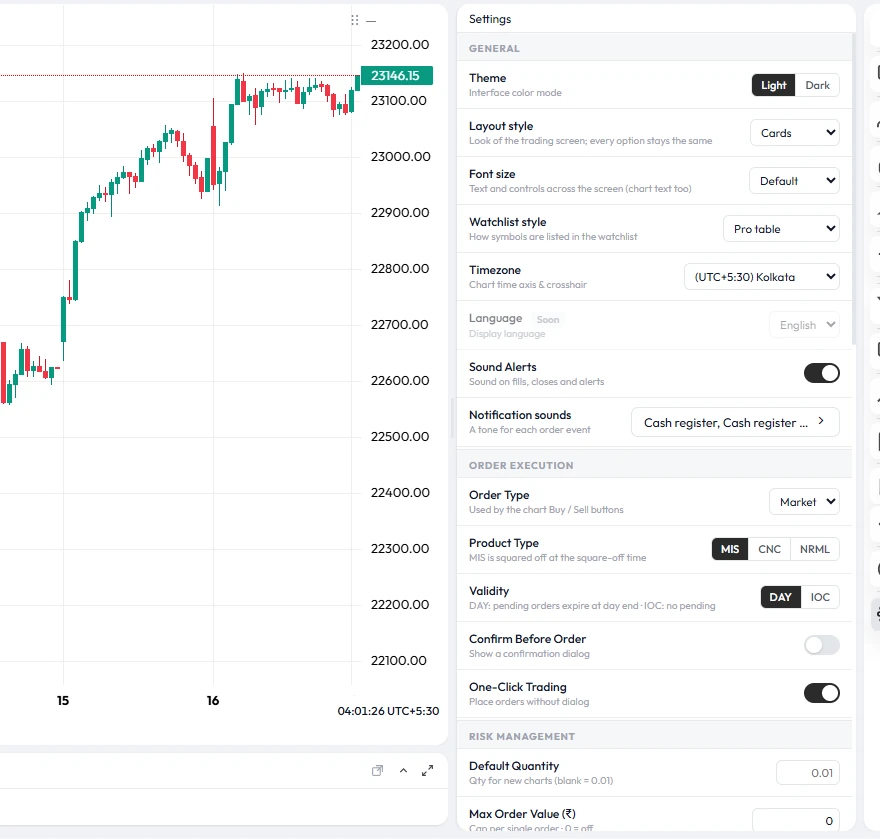
Themes, layouts, watchlist styles and 12 order-line designs are saved to your account.
A simulated account on live prices for practice, strategy tests and replays.
Entry, SL and TP pills you can drag to modify, with live P&L and a risk:reward bar.
Broker logins you save are stored encrypted and only decrypted in memory to place orders.
Who it's for
If revenge trading, overtrading or oversizing has cost you, let hard limits make the decision for you.
Option chain, lot-sized quantities, MIS square-off time and a daily loss limit that stops you on bad days.
Send orders from your own code through the Trading API; every order is checked against your strategy rules first.
Practise on a paper account and with bar replay, under the same limits you will use with real money.
Get started
Sign in with Google or email and start on simulated money with live prices.
Daily loss limit, profit target and trade caps — in Settings or in your strategy.
The server holds the line while you trade; the journal shows what to fix next.
Start here
Set them once in Settings. They are checked on the server for every order.
New orders are refused once today's loss reaches your limit.
Oversized orders are rejected before they are placed.
At your limit, or at your chosen time for intraday NSE/NFO positions.
Cap how many trades can be open or pending at once.
Pricing
All TradeLite features are free to use, supported by ads. Paid plans remove the ads and raise the limits on accounts, strategies and AI.
With ads
or ₹1,999 a year
or ₹4,999 a year
or ₹11,999 a year
Prices include GST. Paid plans open soon. Until then every account gets the Free plan, and the Free plan keeps every feature after paid plans launch.
| Feature | Free₹0 | Plus₹199/mo | Pro₹499/mo | Elite₹1,199/mo |
|---|---|---|---|---|
| Ads | Shown | None | None | None |
| Live broker accounts (NSE, F&O) | 2 | 3 | 10 | 25 |
| Strategies | 5 | 10 | 25 | Unlimited |
| API trading keys | 1 | 2 | 5 | 20 |
| AI script requests a month | 5 | 20 | 50 | 150 |
| Tick-by-tick replay | — | — | ✓ | ✓ |
| Journal and trade export (CSV) | — | ✓ | ✓ | ✓ |
| Support | Chatbot, tickets | + Live chat | Priority chat | WhatsApp priority |
One-click trading, trade from the watchlist, quantity and margin calculator, 1 SL / 3 TP and 3 SL / 3 TP, default order settings, sound alerts.
Max profit, loss and orders for every timeframe, max open positions, stop today's trading, strategy lock with admin email, stop-loss hunting protection.
Up to 8 charts, layout styles, 13 order-line designs, 9 watchlist layouts, all drawing tools, candle replay, dark and white theme.
Custom indicators and the Strategy Tester, TL Script editor, news trading with an economic calendar.
Paper trading, trading journal, AI help chatbot, option chain, option strategies, screener, price alerts.
Global, NSE and private rooms, share P&L with a link, desktop and mobile apps.
Manage the strategy settings of up to 10 linked traders, then ₹149 for each extra trader. Linked traders see no ads.
FAQ
It turns the rules you already know you should follow into limits the platform enforces: a daily loss limit, a daily profit target, caps on how many orders you place per time window, position-size limits, a default stop-loss and confirm-before-order. When a limit is reached, new entries are blocked, so fear, greed and revenge cannot override your plan in the moment.
The limits are checked by the server on every order — from the chart, the API or an expert advisor — so refreshing the page, switching devices or sending orders another way does not bypass them. Open positions keep their own stop-loss and targets.
Set a maximum number of orders per 1, 5, 15 or 30 minutes, 1 or 4 hours, day, week or month on your strategy. Once the cap is reached, new orders are refused until the window resets.
Overtrading is taking more trades, or bigger trades, than your plan calls for — usually to win back a loss, out of overconfidence after a win, or out of boredom. Each extra trade adds brokerage, taxes and slippage, and trades taken outside the plan tend to be the weakest setups of the day.
Revenge trading is jumping straight back in after a loss to win the money back, often with a bigger size and no stop-loss. In TradeLite your daily loss limit blocks new entries once today's loss is reached, an order cap such as two orders per 15 minutes forces a pause, and max quantity and max order value stop you from doubling up.
New orders are refused with a message that names the limit and today's P&L. If auto square-off is on, open positions are closed at the limit as well. The daily limits start again on the next trading day.
Yes. The terminal alerts you when today's loss reaches 50% and 80% of your daily loss limit, and again at the limit, so you can slow down before the platform has to stop you.
Yes. Open (unrealised) P&L is added to closed trades for every limit, so sitting in a losing trade does not hide the loss from your daily or per-window limits.
Set a maximum quantity and a maximum position value on your strategy, plus a maximum order value and maximum number of open positions in Settings. Orders above those sizes are rejected before they are placed, however strongly you feel about the trade.
Yes. Set a daily profit target, or a profit cap for a shorter window such as an hour. Once it is reached, new entries are blocked, so a good morning is not given back in an overconfident afternoon.
Set them before the market opens, when you are calm, not during a trade. Many traders size the daily loss limit as a small share of their trading capital they can lose without it affecting the next day, and set the order cap near the number of setups their plan normally gives. Test them on the paper account first.
Yes. Every order on every account — paper or broker — goes through the same checks, so you can build the habit on paper and carry exactly the same rules into live trading.
Emotions leave patterns in your results. The journal shows losing streaks, trades placed without a stop-loss, your worst hour of the day and worst symbol, with rule-based suggestions, so you can see where discipline slips and tighten the rule there.
It shows a confirmation before every order is sent. That one-second pause is often enough to catch an impulsive click or a wrong quantity.
It gives you the practice. The same limits are enforced on every order, every day, so keeping your plan becomes routine instead of a daily fight with yourself. Most traders find they start stopping before the limit on their own. TradeLite cannot guarantee profits, but consistent, rule-based trading is the foundation every profitable approach is built on.
TradeLite is a browser-based charting and trading terminal for Indian stock markets (NSE equity and F&O). It combines charts, a live option chain, bar replay, a strategy builder, server-side risk limits and a trade journal in one screen.
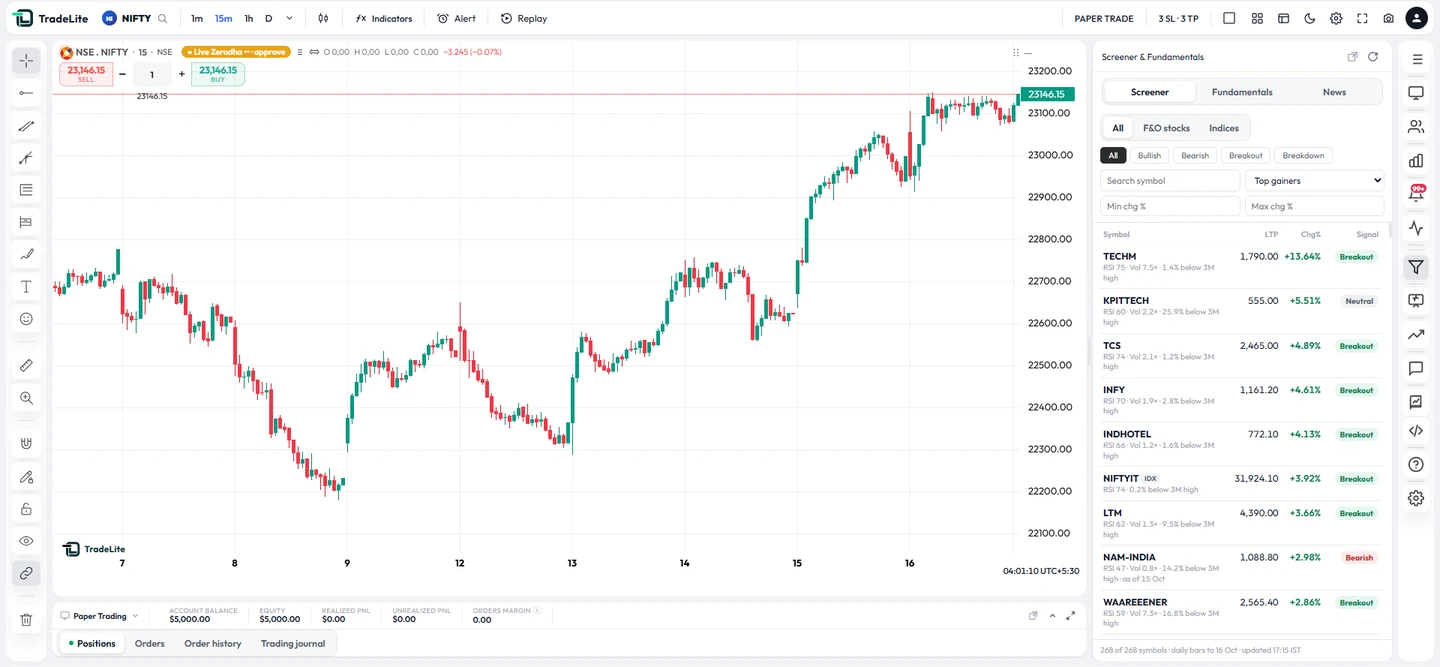
NSE equity and NSE futures and options (NFO), with charts, a live option chain and a stock screener.
Yes. Every account can trade on a paper account with simulated fills on live prices, and bar replay lets you practise on past price action without any order reaching the market.
Pick a start bar on any chart, and TradeLite hides everything after it. Step forward one bar at a time or play at 1×, 3×, 10× or 30×, and place practice trades with entry, stop-loss and target lines. Exit replay and the chart is live again.
You set a daily loss limit, a maximum order value, a maximum number of open positions and an auto square-off time in Settings. The server checks them for every order, so they apply even if your browser is closed.
Net P&L, win rate, profit factor, expectancy, average win and loss, maximum drawdown and losing streaks, an equity curve, daily P&L, P&L by symbol and by hour, and rule-based suggestions — for today, 7 days, 30 days or all time.
Yes. The option chain shows live call and put prices and open interest for the strikes around the current spot, with an expiry picker. Clicking a price opens that contract on your chart.
Yes. TradeLite runs in the web browser on desktop, tablet and mobile, and your layout, theme and settings are saved to your account so they follow you between devices.
No. Sign in with Google or email at tradelite.in and the terminal opens in your browser.
Set your limits once. TradeLite holds the line — every order, every day.
About us
TradeLite is a charting and trading-discipline platform made by TRADELITE FINTECH PRIVATE LIMITED, Chennai. It is software: we are not a stock broker, we never hold your money, and we are not registered with SEBI as an investment adviser or research analyst. Live orders go to your own broker account.
TRADELITE FINTECH PRIVATE LIMITED · CIN U66301TN2025PTC187440
Shop No. 33, 1st Floor, Gemini Parsn Manere, New No. 442 (Old No. 602), Anna Salai, Chennai, Tamil Nadu 600006, India
Email: tradeliteofficial@gmail.com · Grievance Officer: Dhakshnamoorthy Shanmugam · Terms · Privacy · Risk disclaimer